Workflow overview
Before being able to do compression / decompression with Jetraw, the image needs to be passed through an initial step referred to as image preparation. This initial step requires the knowledge of exact sensor parameters.
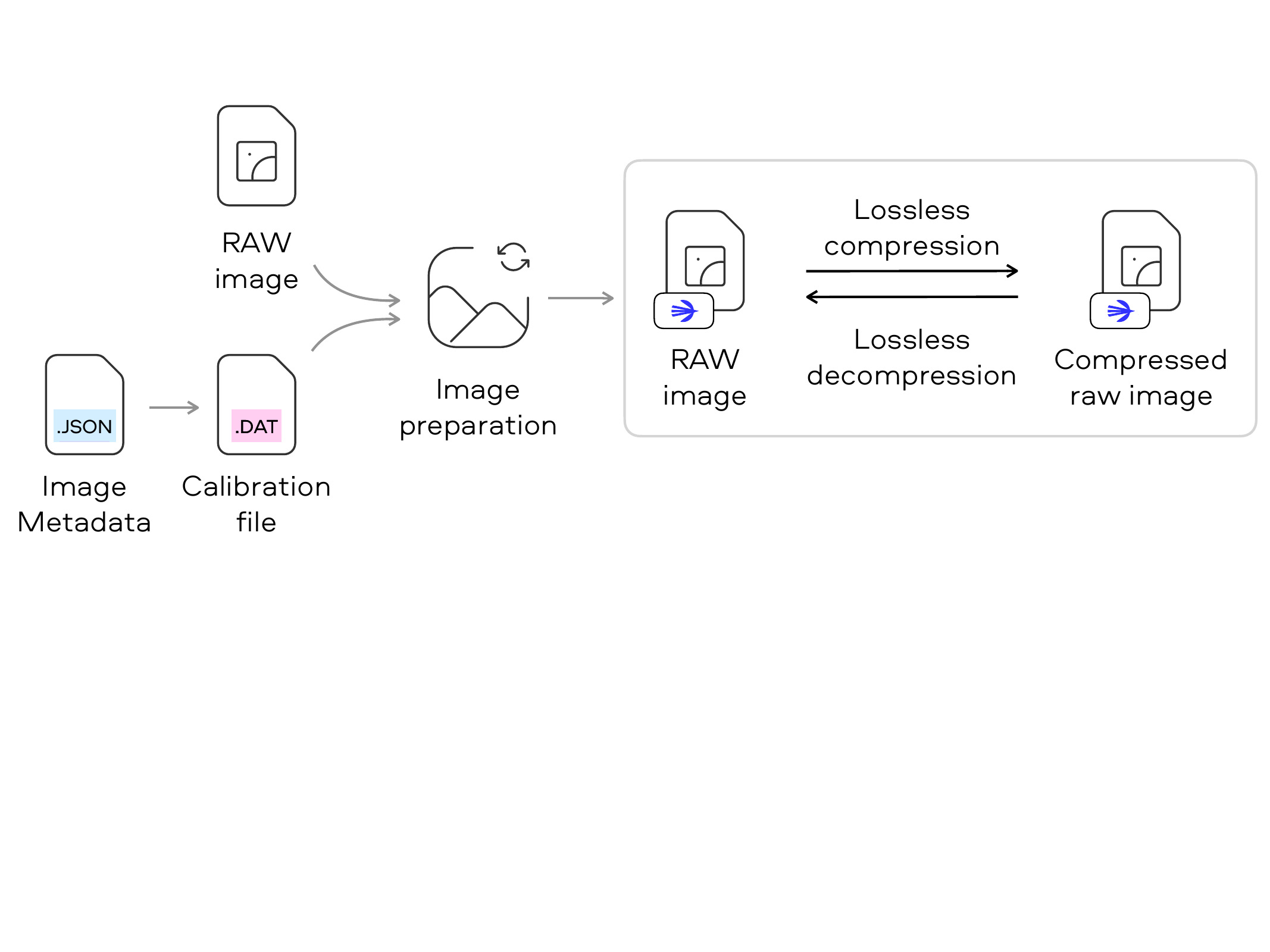
The image above gives an overview of how to use Jetraw to compress images. The RAW image is first prepared using the calibration file and can then be compressed and decompressed using jetraw.
Software libraries / UI / CLI
The sensor calibration information is provided by dotphoton in a camera specific .dat file. Information such as the conversion gain and the black level are grouped in calibration identifiers, which needs to be specified while calling the preparation function.
Image preparation is performed by the dpcore library / CLI. This module is responsible for performing the initial image preparation required for jetraw compression.
Compression and decompression is performed by using the Jetraw library / CLI.
Hardware implementation
The hardware implementation functions in the same way, however the workflow is different from the software implementation. Instead of splitting the image preparation and compression steps, the hardware core performs the image both operations in a single pass, for a more hardware friendly implementation.
Calibration information is also required, but instead of relying on a calibration file the required information is passed to the core explicitly through configuration registers.